
|
|
#7
 09-17-2012, 02:09 PM
|
|||
|
|||

i hope it's not too confusing because this is in 2 languages. there is English on the right, and "Gurmukhi" on the left. Basically this document is of a scripture. We keep track of where passages are by the orginal hand-written page numbers. That is essential. So that's why i need the Gurmukhi page numbers referenced on every document page (hopefully in the footer). the Gurmukhi pages are going to span across several document pages. make sense?
so, in the footer we have (from left to right): the gurmukhi page number in gurmukhi, the gurmukhi page number in english, and in parenthesis the document page number. this image is a screenshot of the first document page, and everything looks good. 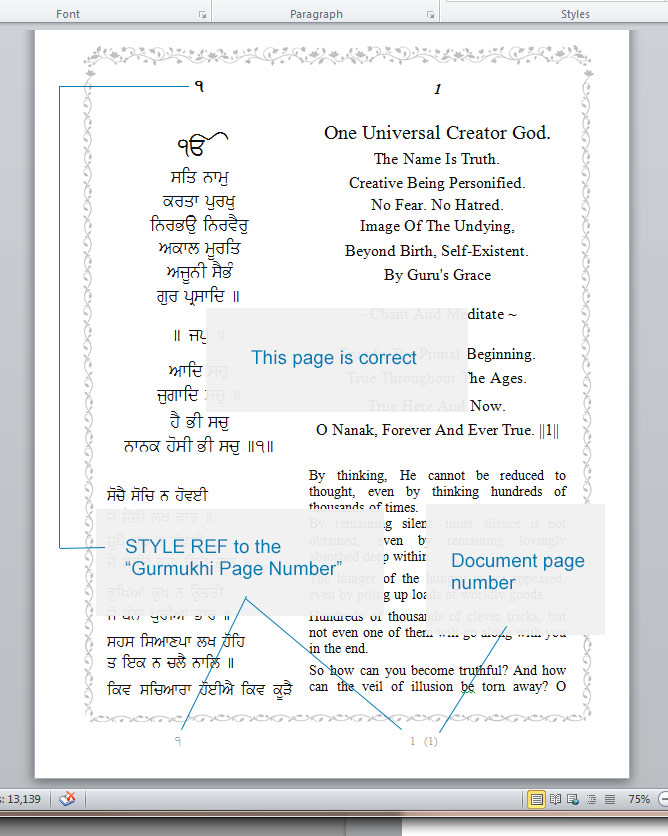 here is page 2. the STYLEREFs are missing. they do appear on most pages, but randomly they don't appear on others. 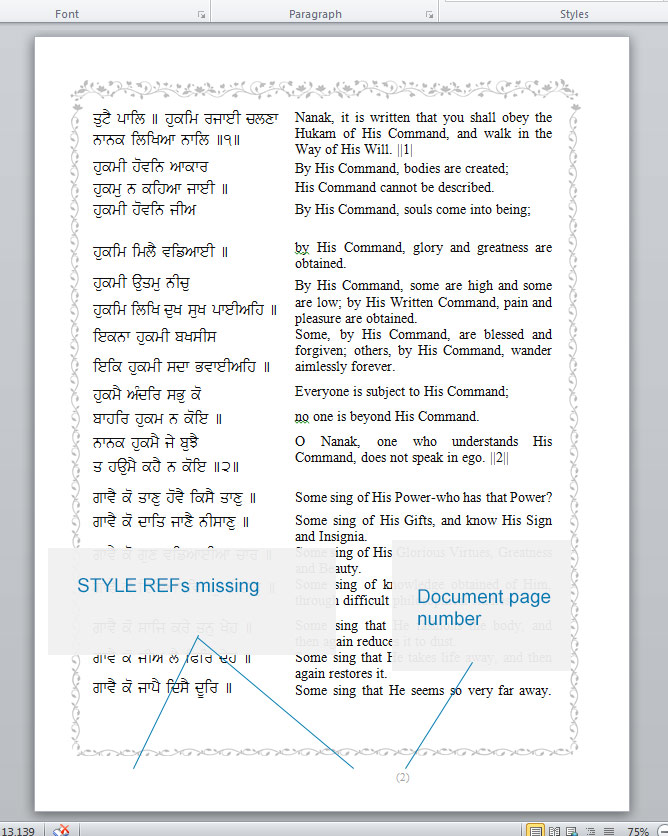 some of the pages end up with a weird formatting error in the footer, i haven't been able to find any kind of pattern for that. 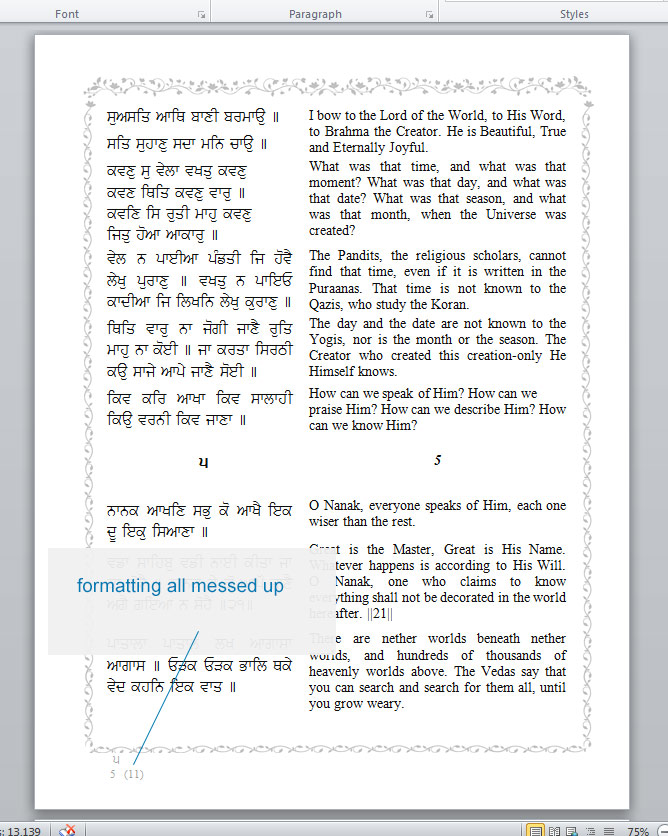 I noticed the STYLEREFs changing if I changed the size of the program window.... a strange and random error. 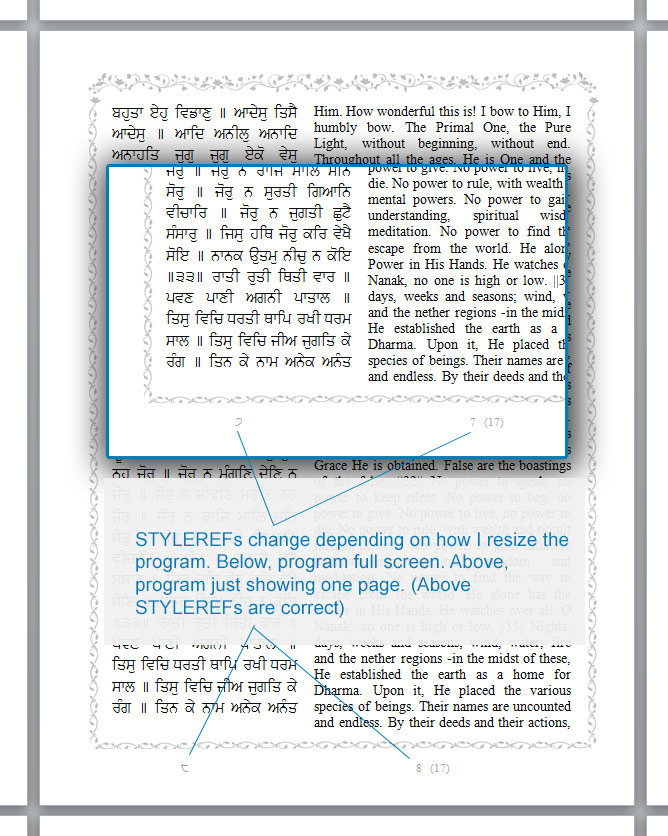 In general the STYLEREFs are unpredictable 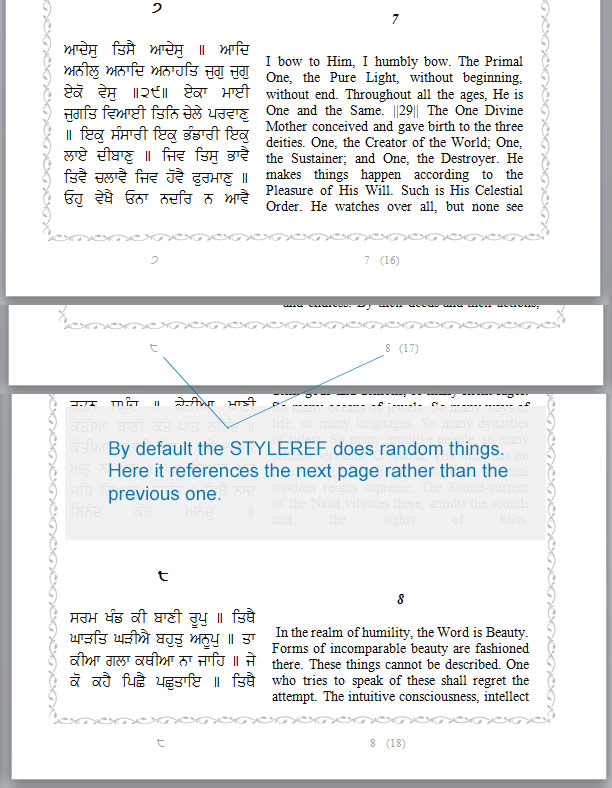 because of the above mentioned errors it sounds good to try the '\l' switch, but that makes an even worse error. it worked for me once long ago, but now doesn't seem to work at all. this is page 5 of the doc. it's an example of when i use the '\l' switch. 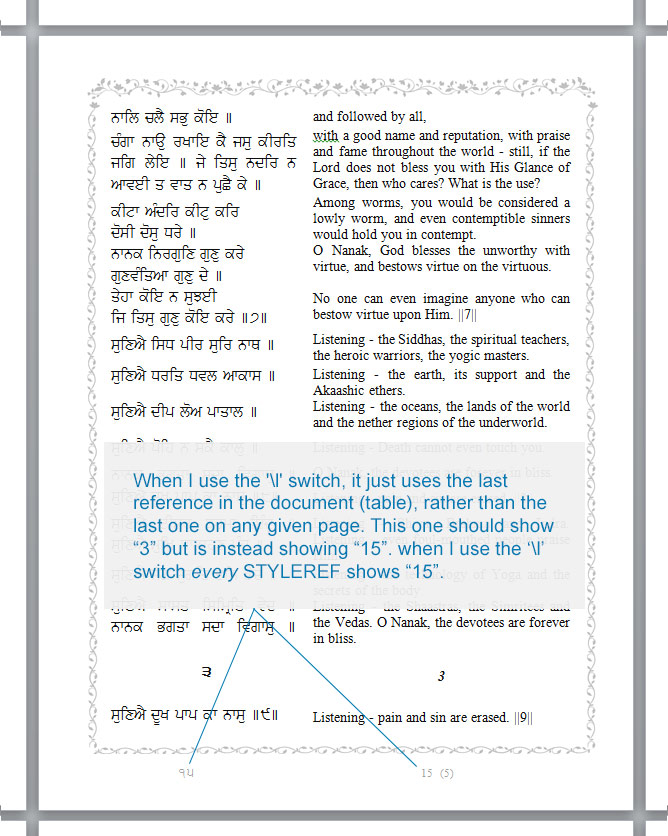 The entire scripture is 1340 Gurmukhi pages, which would be over 3,000 document pages. each line needs custom formatting, so we are dividing the document up in to a bunch of different parts so we can get a team of volunteers to go through it saving us a lot of time by dividing up the work. i just need to set up the template so we can have a system. i can't seem to figure out how to do it. is there a way to have a field in the footer that we can type into on each page? 
|
| Tags |
| columns, field, multi-lingual |
|
|
 Similar Threads
|
||||
| Thread | Thread Starter | Forum | Replies | Last Post |
 creating a custom field and using it in a template creating a custom field and using it in a template
|
Skarab | Word | 3 | 10-24-2011 03:33 AM |
| Create Custom menu using a macro | twnty2 | PowerPoint | 0 | 06-29-2011 04:26 PM |
| Add custom field to print style | steino | Outlook | 0 | 03-31-2011 12:03 PM |
| Create Custom Word Template | emilyrogers | Word | 0 | 02-16-2011 05:46 AM |
| Custom Fields : Creating New Field Types. | KarthikR | Word | 0 | 12-04-2005 12:47 PM |


 Windows 7 64bit
  Office 2010 64bit


 Threaded Mode